Ground truth

Your test lab,
as one system.

Compose it on the Canvas, stand it up on demand, and prove it Validation Ready — on your own infrastructure.

Open NetBox On-prem or air-gapped No lock-in
NodaliQ topology canvas
The platform at a glance

Everything the lab needs, in one place.

I One source of truth

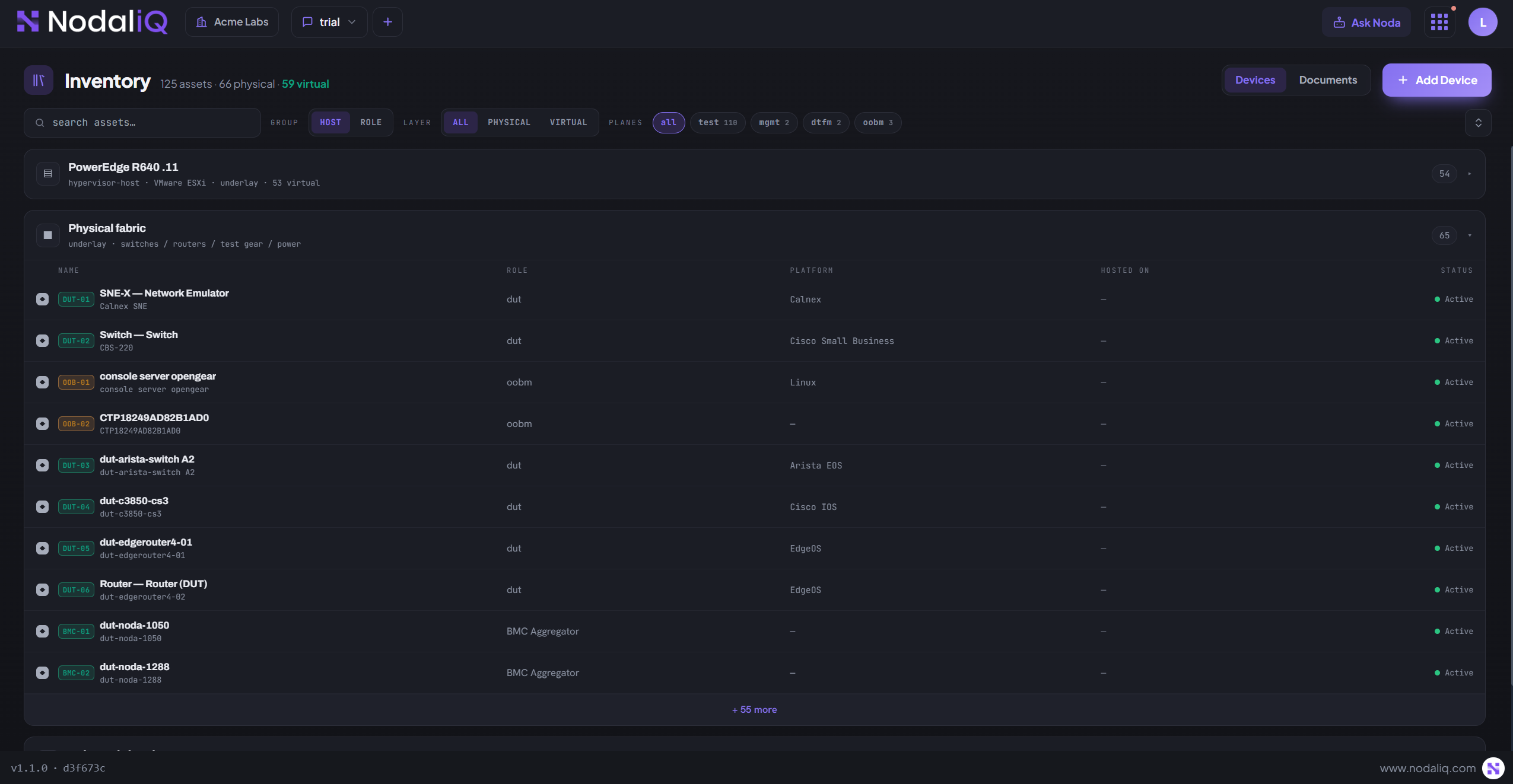
Every device and VM, in one place.

Physical gear and virtual machines in one unified inventory — on open NetBox, the source of truth you own. No more spreadsheets against the rack.

  • Docs, indexed — datasheets and test plans linked to the gear, answerable by Noda.
Your data, your infrastructure — untouched
NodaliQ · Inventory
NodaliQ Inventory
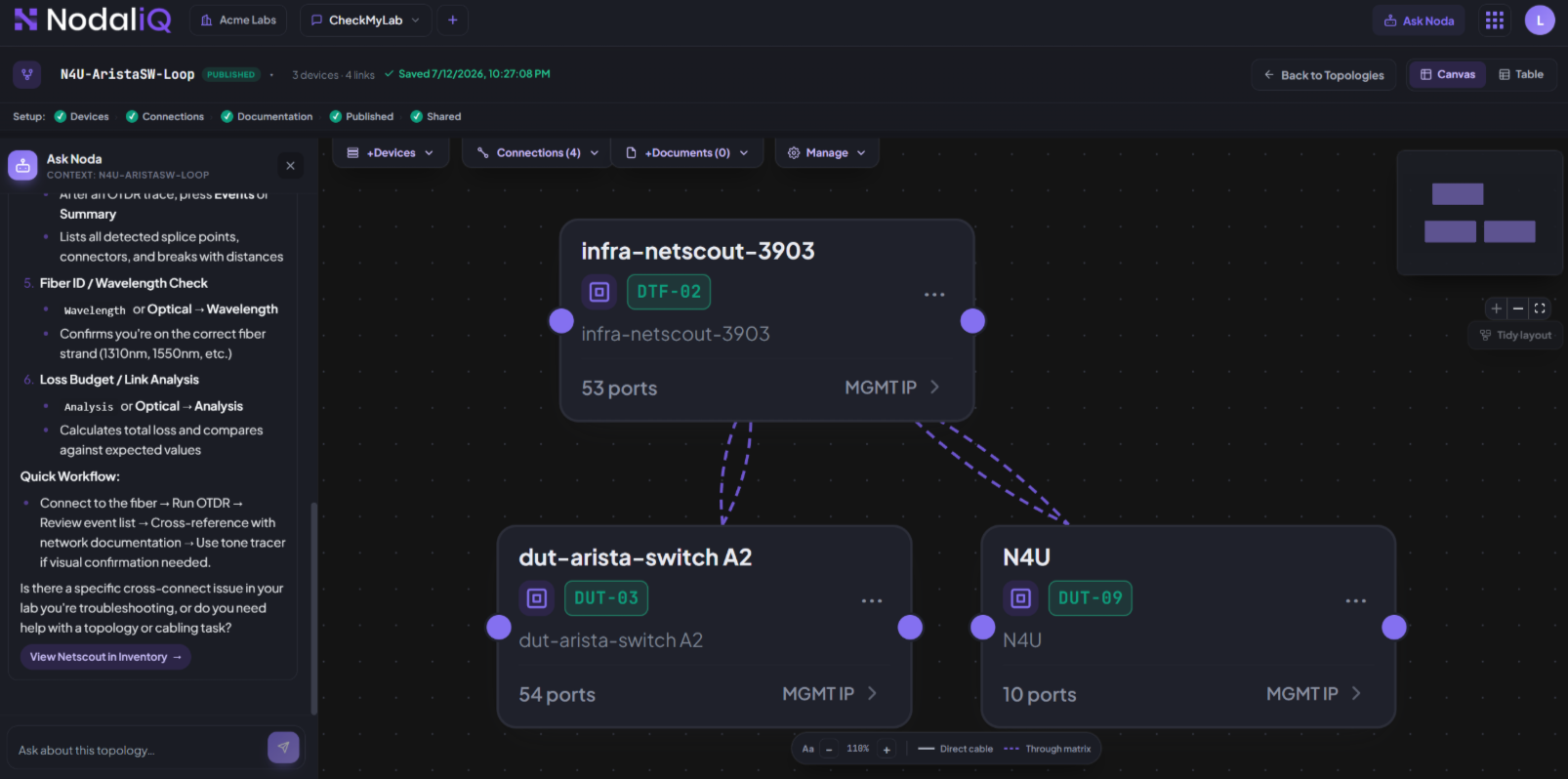
NodaliQ · Canvas
NodaliQ Canvas
II Composability

See your testbed as a real network.

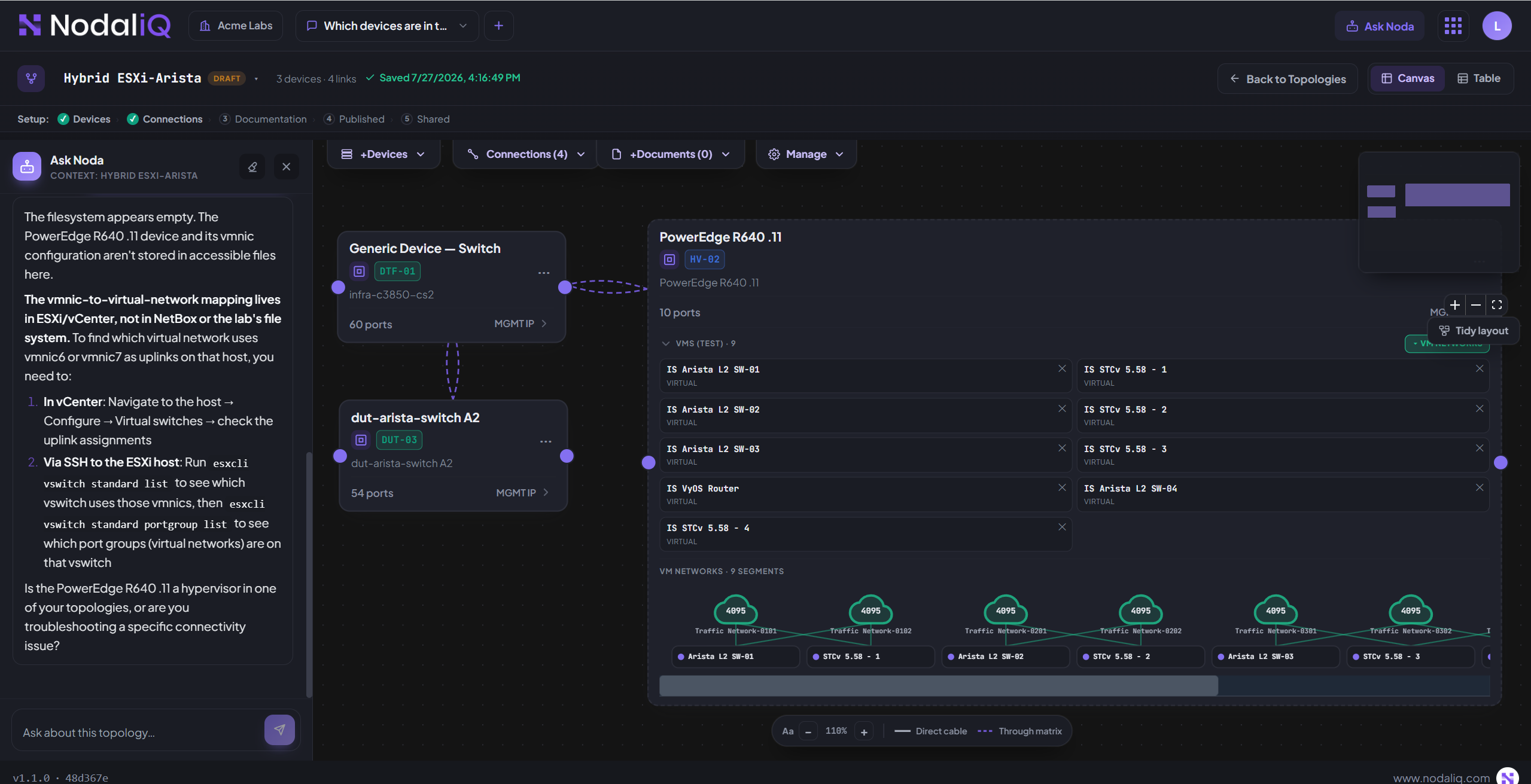
Drop the real gear onto the Canvas and NodaliQ draws it as an actual network — not boxes joined by lines.

  • Composable — build it by putting what you have on the canvas.
  • Intelligent — it knows what can connect, and what can't.
  • Easy — wire it yourself, or just ask Noda.
Compose it · it knows the rest
III Programmable physical layer

Rewire the lab without touching a cable.

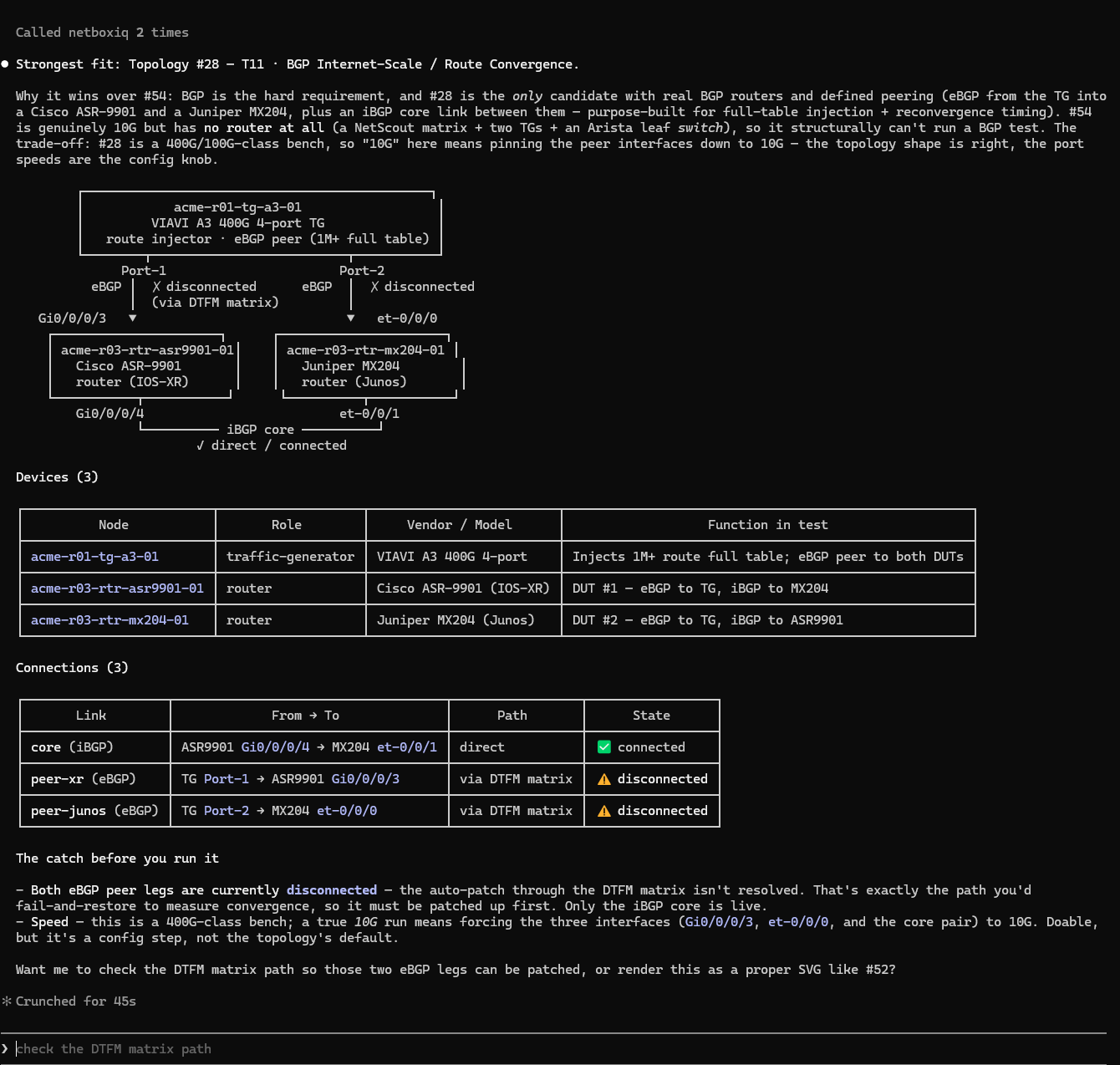
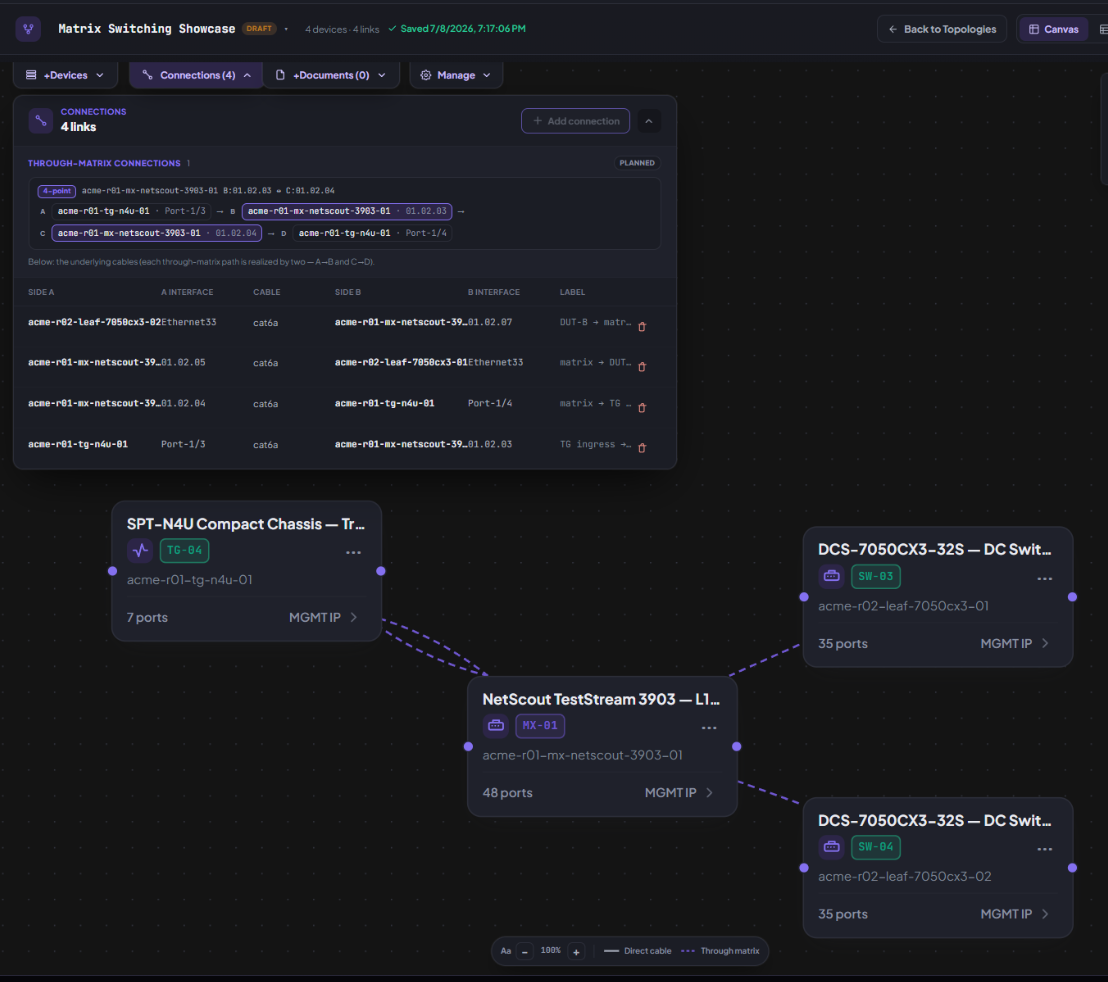
A programmable Layer-1 fabric cross-connects any port to any port in software — matched by speed and media, isolated per test. No patch panel. No walk to the rack.

Real Layer-1 paths · reconfigured in software
NodaliQ Layer-1 matrix switching
IV Publish & reserve

Share it. Reserve it. Lock it down.

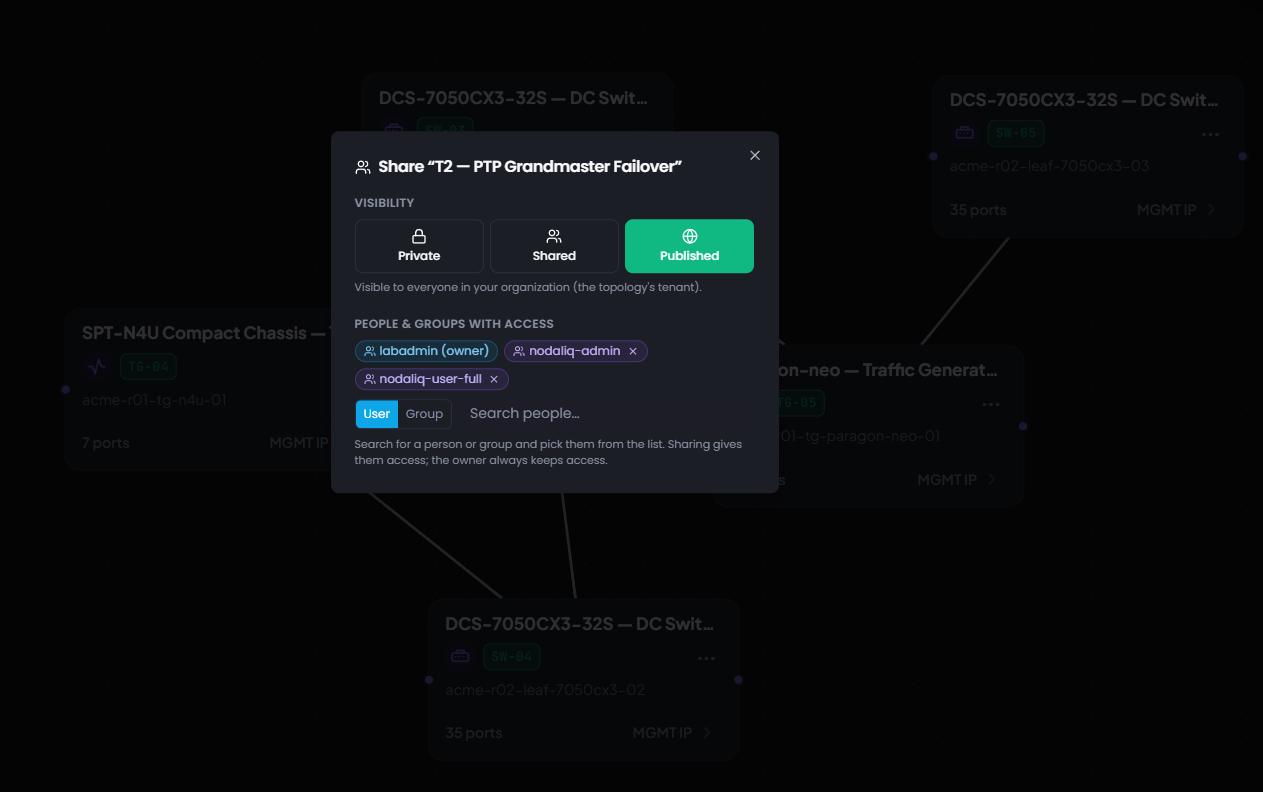
Publish a Validation Ready testbed to a shared catalog others can consume — and reserve the environment you need or built.

  • Publish & share — your topologies, as a catalog.
  • Reserve — take the environment you need for your run.
  • Lock it down — reserved means yours; nobody else can touch it.
  • Availability — everything locked shows who's holding what.
Your test bed, protected
NodaliQ · Share & reserve
NodaliQ — publish, share and reserve a testbed
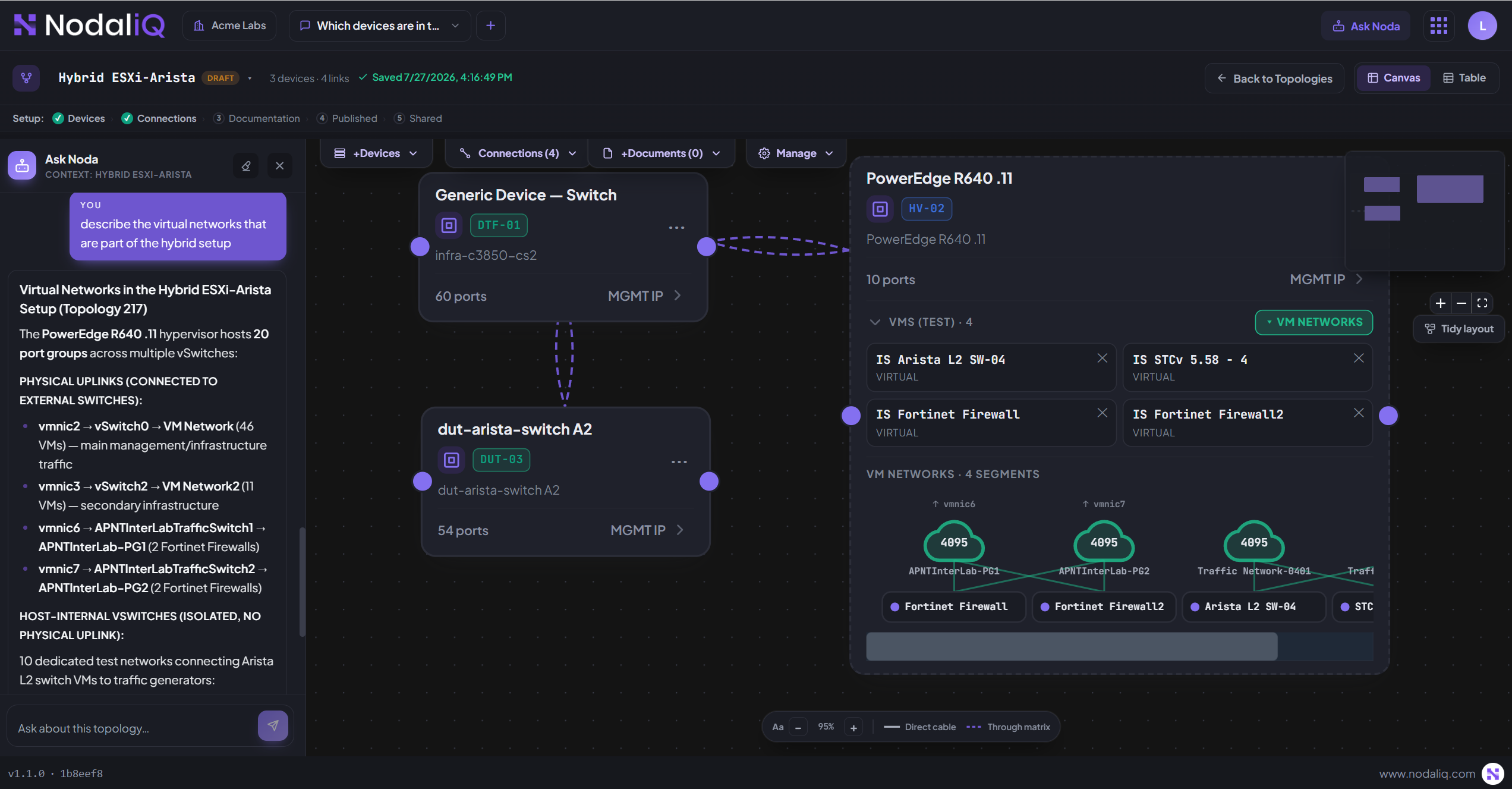
NodaliQ · Ask Noda
NodaliQ Ask Noda
V Ask Noda

Grounded in your lab, not a guess.

Ask in plain language. Noda answers over your real inventory, connections, and documents — shows its work, cites its sources, and sees only what you're allowed to see.

Grounded in truth · cites its sources
VI Guided walkthrough

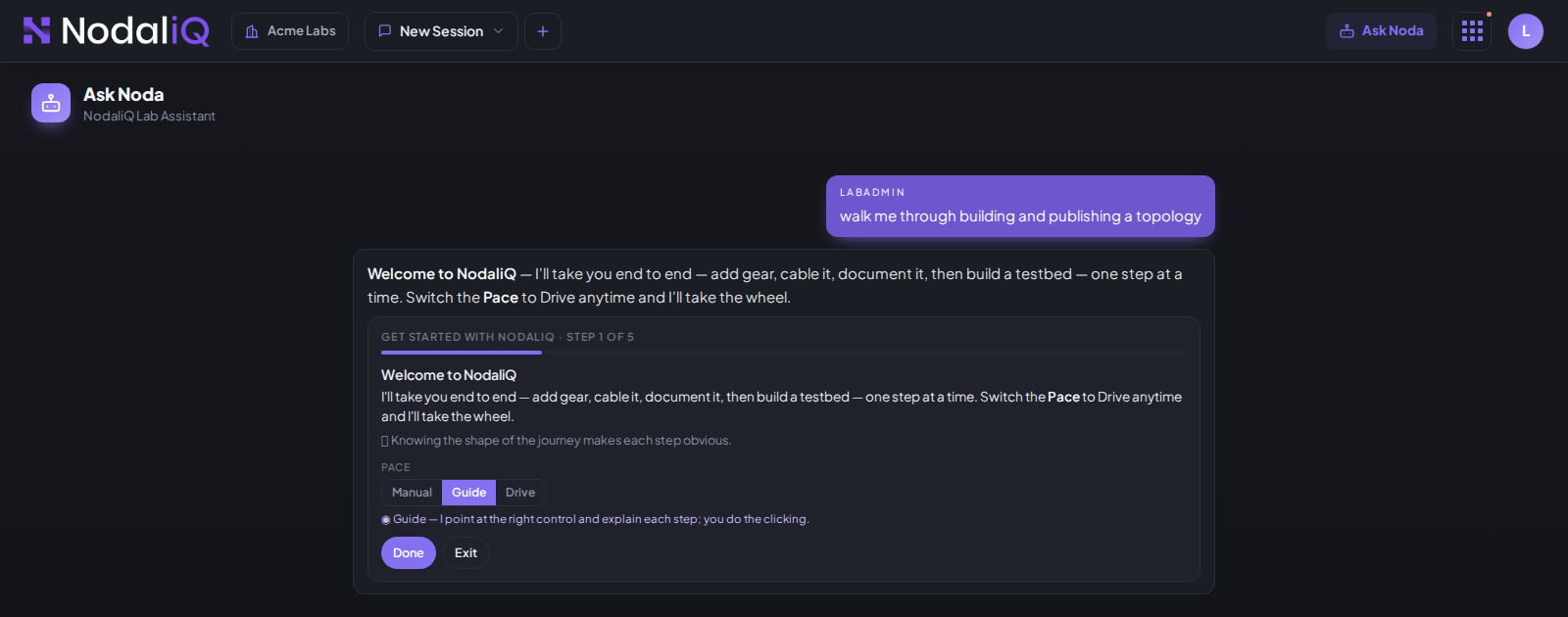
Noda doesn't just tell you. It walks you through.

Ask it to walk you through a task and it takes one step at a time — what to do, why, and where — checked against live state.

  • Manual — Noda shows the step; you do it.
  • Guide — the app highlights the control; you click.
  • Drive — Noda does the automatable steps for you.
A new engineer, productive on day one
NodaliQ · Ask Noda · Guided
NodaliQ guided walkthrough
Detect · isolate · guide

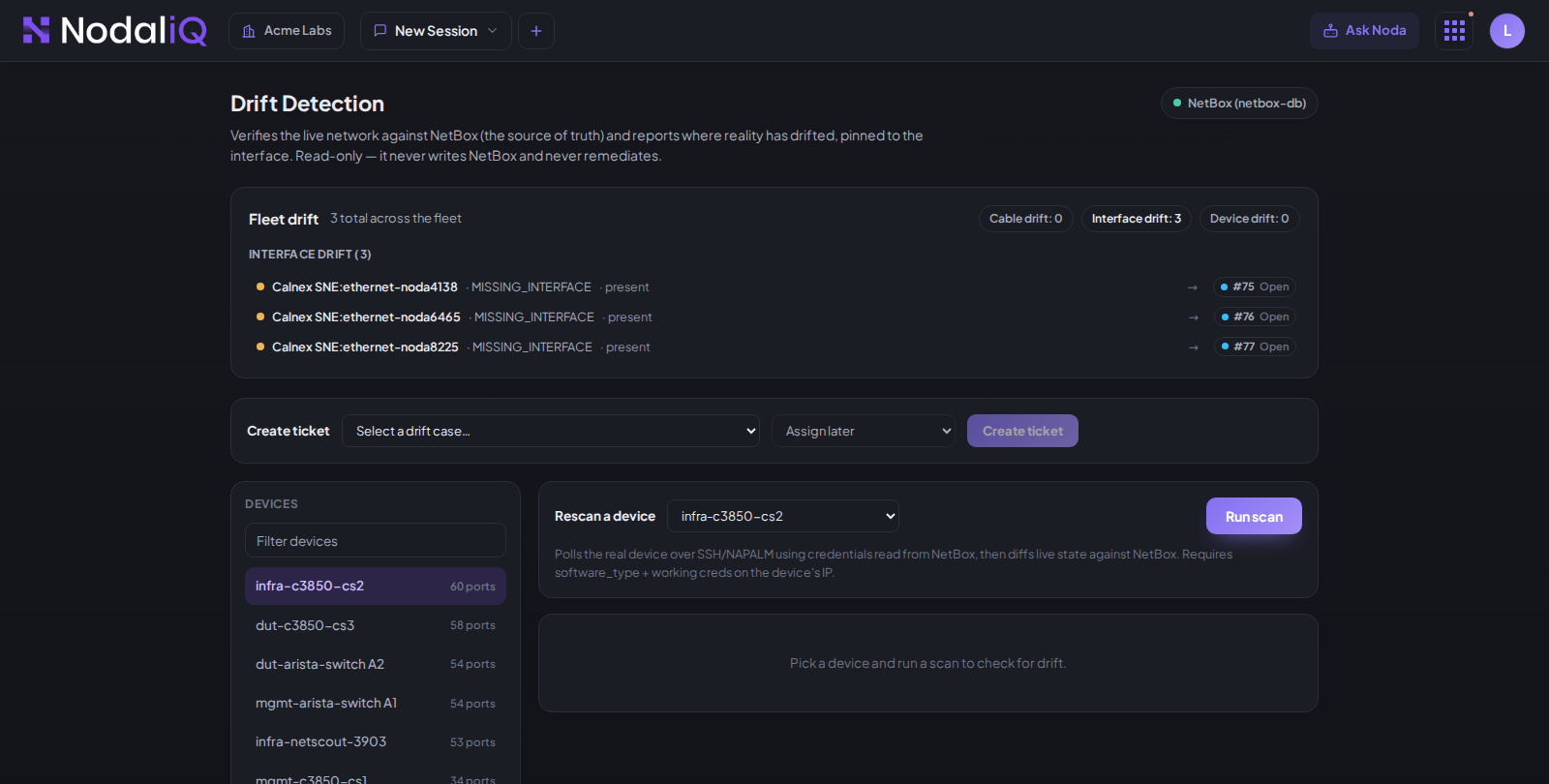
Two different questions. Two honest answers.

Drift is a comparison — the lab no longer matches its record. An error is a fault a real system reported. They never share a number, so a low drift count is never mistaken for a healthy network.

Detects and notifies · never auto-heals
NodaliQ · Drift
NodaliQ Drift
VII Drift detection

Drift happens. Noda catches it.

NodaliQ compares the real gear to NetBox, pinned to the exact object — device, interface, or cable. Read-only. It never auto-heals.

  • Cable — missing, extra, or patched elsewhere.
  • Interface — IP, speed, VLAN, MTU, existence.
  • Device — serial, model, OS version.
Know exactly what's true
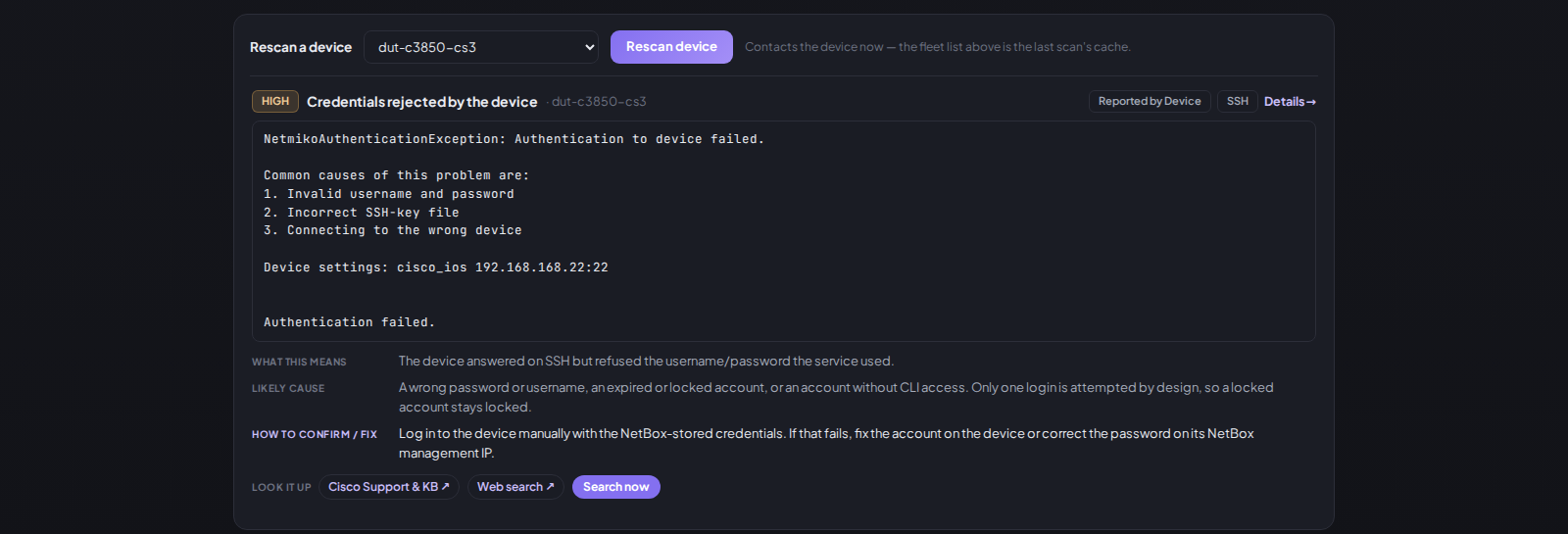
VIII Error detection

The fault, word for word — then what it means.

When something genuinely fails, NodaliQ relays the fault exactly as reported — then grounds it: what it means, the likely cause, how to fix it. Never a fabricated explanation.

Know where to look
NodaliQ · Errors
NodaliQ Errors
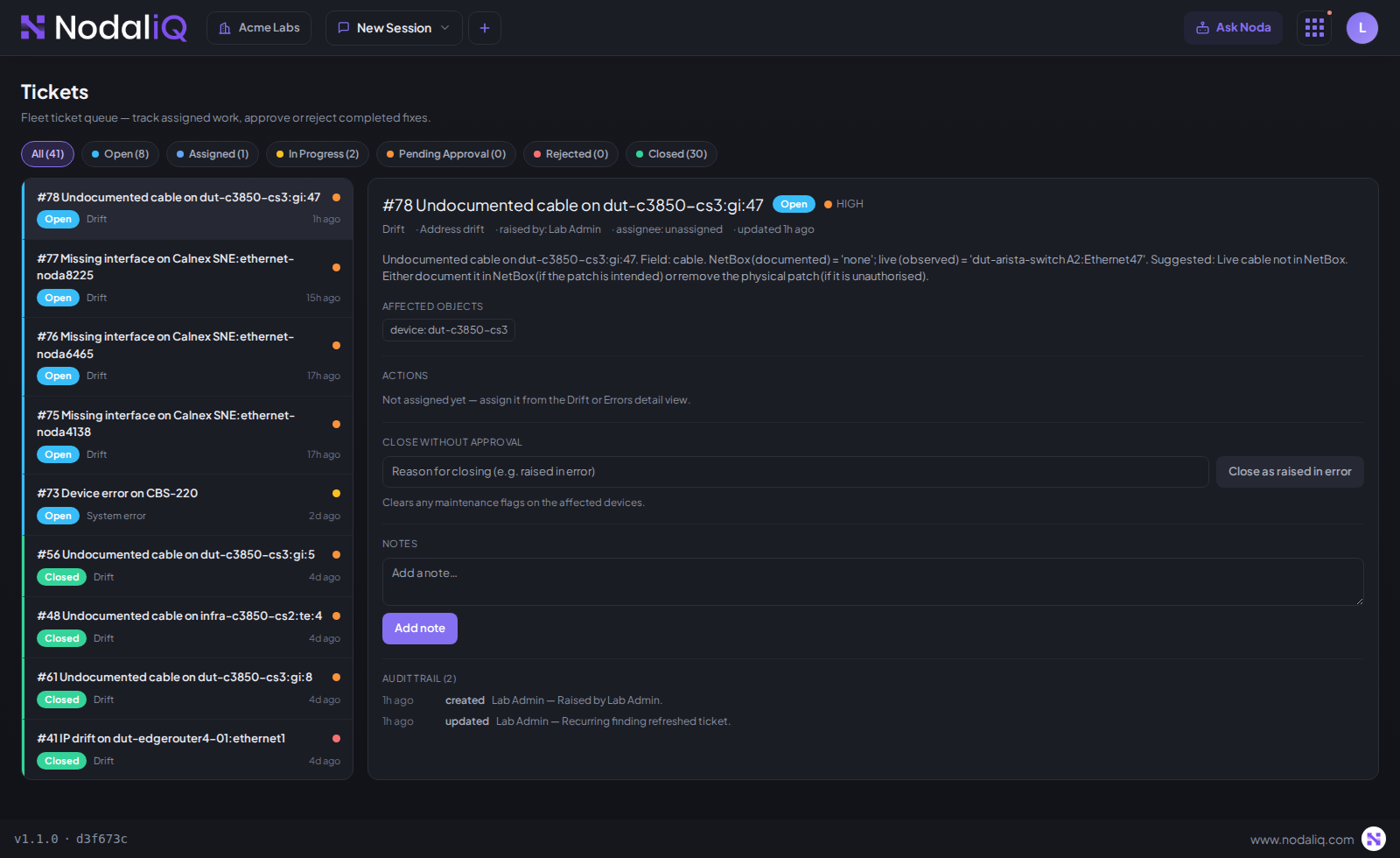
NodaliQ · Tickets
NodaliQ Tickets
IX Technician ticketing

From finding to fixed, on the record.

Turn any finding into a ticket a human owns: Open → Assigned → In Progress → Pending Approval → Closed — with a full audit trail you can read months later.

Approved by a human · fully auditable
X Maintenance mode

Nobody reserves the gear someone's hands are in.

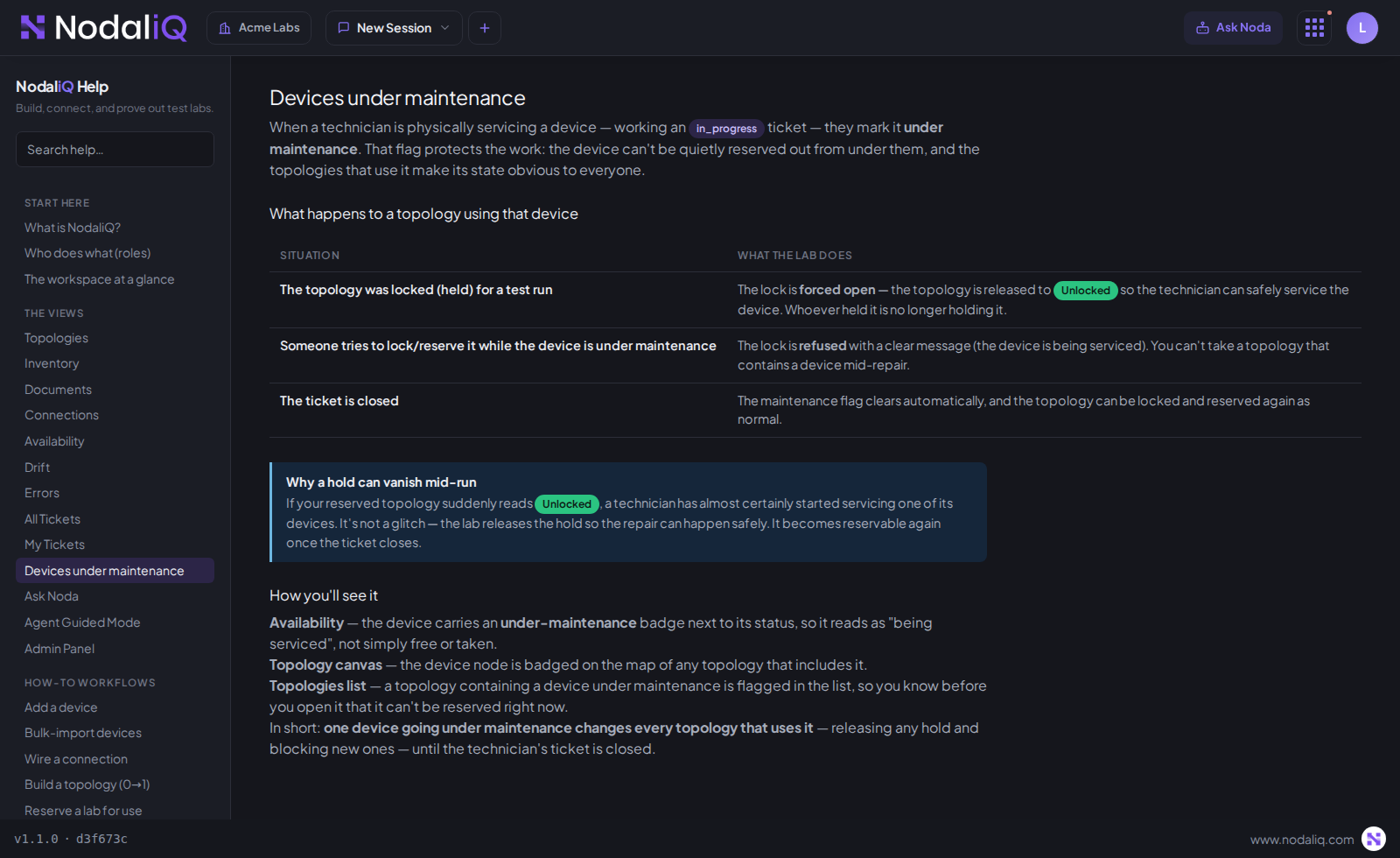
Mark a device under maintenance and the whole lab respects it — every topology that uses it, until the ticket closes.

NodaliQ · Help · Devices under maintenance
NodaliQ maintenance rules
Holds are releasedA locked topology is forced open so the technician can work safely.
New locks are refusedYou can't reserve a topology with a device mid-repair.
Badged everywhereIn Availability, on the canvas, and in the topologies list.
It clears itselfClose the ticket and the flag lifts automatically.
No silent surprisesA hold that vanishes means a technician started servicing a device.
On the recordEvery set and clear is an event on the ticket, timestamped.
NodaliQ · Users & Access
NodaliQ Users & Access
XI Permission-scoped · AAA

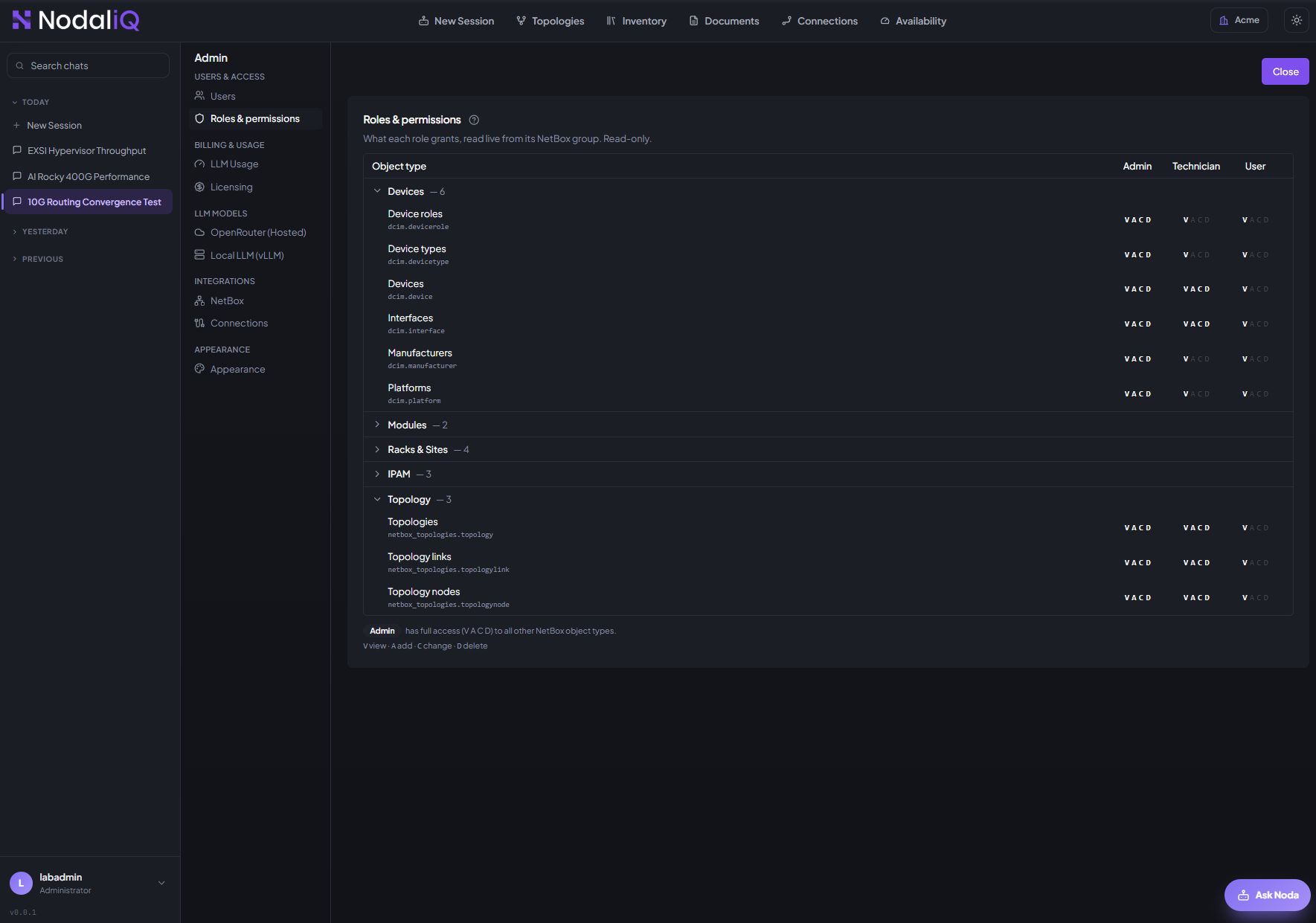
Every person sees only their slice.

Access is AAA by policy — authenticated, authorized, accounted for. Defined once, honored everywhere, every action on an audit trail.

Scoped access, enforced end to end
Lab user

Composes & runs tests

  • Topologies, Documents, Availability
  • Reserves and releases gear
  • Ask Noda & guided walkthroughs
  • Raises app issues · My Tickets
Technician

Keeps it true

  • Inventory & Connections
  • Drift and Errors
  • Works assigned tickets end to end
  • Sets & clears maintenance
Admin

Runs the platform

  • Onboards devices, VMs, connectivity
  • Raises & assigns tickets
  • Approves or rejects work
  • Users, roles, SSO, models, logs
XII Bring your own agents

Your lab, inside your tools.

The NodaliQ MCP brings your lab into Claude, Cursor, or VS Code — compose topologies, reserve gear, read drift and errors, without leaving your editor.

Your lab, in your IDE
NodaliQ MCP · Ask Noda
NodaliQ MCP
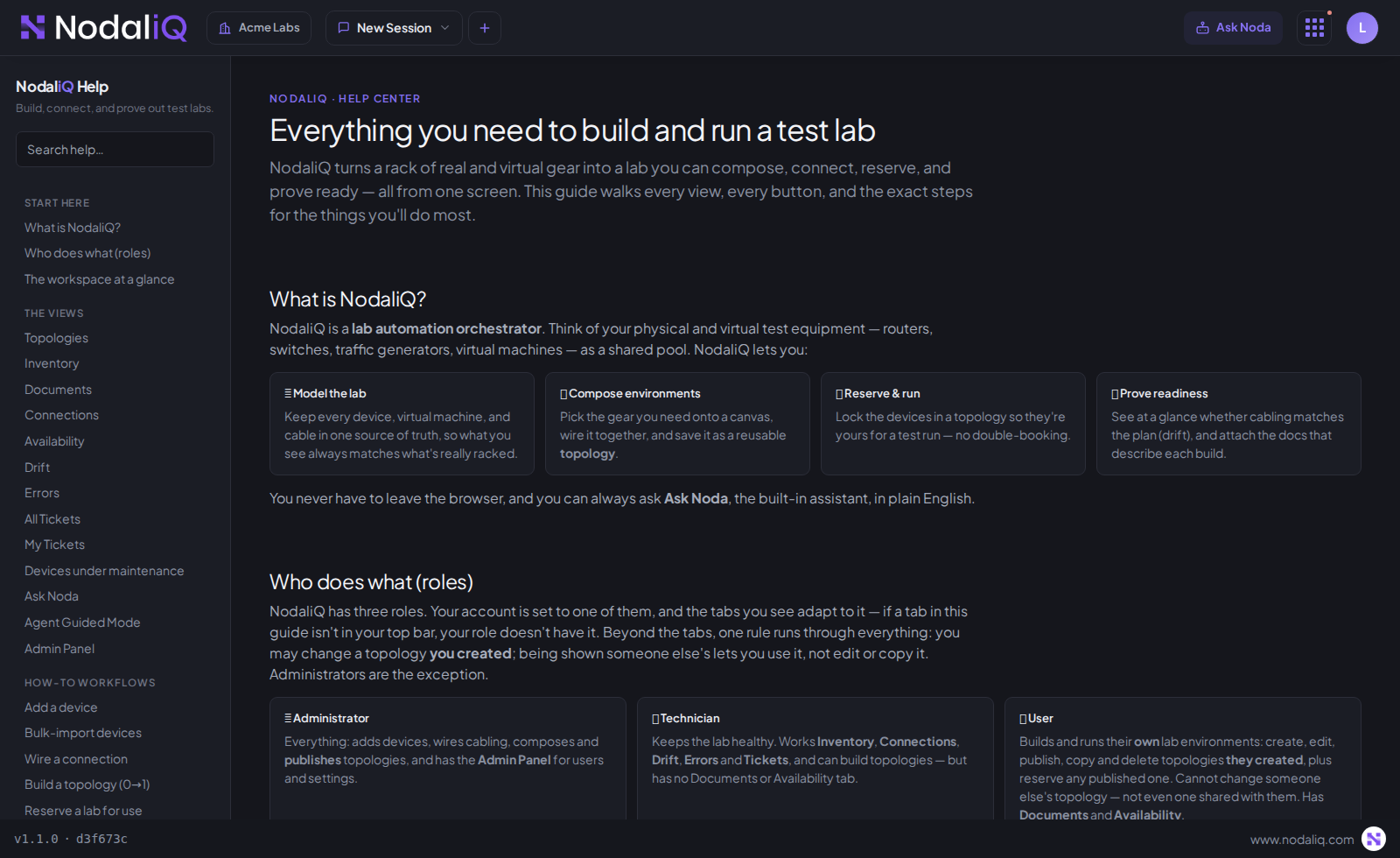
NodaliQ · Help
NodaliQ Help Center
XIII Knowledge & guidance

Everything you need to build and run a test lab.

Not a stale PDF, and not just a search box — the knowledge and the hands-on experience of running the lab, built in and tied to what's in front of you.

  • Read about a task, or have Noda walk you through it on your own lab.
Knowledge + guidance, in context
XIV Admin & operations

Run it like a platform, not a science project.

Everything to stand NodaliQ up, connect it to what you run, and keep it healthy — one admin panel, your infrastructure.

Guided first-run setupConnects NetBox, verifies the link, gets you to a working lab.
Users, roles & SSOInvite people, assign roles, revoke sessions instantly.
Email & notificationsYour own relay, so tickets reach the right admins.
LicensingEntitlement and usage in the app.
Model configurationHosted model, or keep inference on-premises.
Document indexingControl how docs are read and embedded.
NetBox connectionManage the source-of-truth link and sync.
System logsService health in the UI, not over SSH.
AppearanceDark or light, and your own branding.
Your data · no lock-in

Your data is yours. No lock-in.

Your lab lives in open-source NetBox — never trapped in a store only we can open. If you ever move on, the data goes with you. We earn your stay; we never trap it.

Open NetBox · enriched, never trapped
One system

One source of truth. One platform.
Validation Ready Networks.

Runs in your own infrastructure. Less time proving the lab works — more time proving the network does.